 NexGPU-算力租赁,GPU服务器,GPU云算力,AI服务器租用-新闻博客
When developers debug parameters late at night, the last things they want to see are a non-decreasing loss function and a cloud account balance draining like an hourglass. To save money, many teams instinctively choose per-second or per-hour elastic instances for GPU rental, thinking that "pay-as-you-go" is the most cost-effective.
However, when the end-of-period bill arrives, many are surprised to find that a large portion of their training budget was silently consumed by environment initialization, image pulling, and data preloading. This phenomenon is known in the industry as the "cold start tax."
Step 1: Calculate the "Cold Start Tax" That Eats Most of Your Budget
The "cold start tax" refers to the idle time between when you start a cloud instance and when your code (PyTorch or inference engine) actually begins utilizing GPU compute power. According to real-world statistics from major cloud platforms, this period typically includes the following unavoidable physical costs:
- Environment initialization and driver verification: Pulling large official container images (Docker), validating CUDA driver compatibility, mounting network drives and virtualized environments.
- Model weight loading: Reading dozens of gigabytes (GB) or even hundreds of GB of weight data from object storage or shared disks into system memory.
- GPU memory loading: Loading the model into high-bandwidth memory (HBM3/HBM3e) on the GPU.
- Dataset preprocessing: Tokenizing and formatting the initial batch of data needed for fine-tuning or inference.
Real-world tests show that under standard gigabit network bandwidth, the average time to start and prepare a fine-tuning or inference task is approximately 4.7 minutes. If you encounter errors during parameter debugging, causing 32% of tasks to be interrupted within 15 minutes of startup, nearly one-third of the money spent in those 15 minutes is actually paying for environment readiness.
Step 2: Find the Golden Threshold: Build a Decision Model Based on "Effective Compute"
To determine whether per-second billing or monthly subscription is more economical, we need to introduce a key decision variable—the "effective compute time ratio." Effective compute refers to the physical time the GPU is actually used for forward and backward propagation.
This leads to the golden formula for GPU rental decisions: if the ratio of "average effective compute time per task / (task preparation time + effective compute time)" is below 60%, or if the cumulative daily compute time exceeds 4 hours, then monthly or weekly billing demonstrates a overwhelming cost advantage.
To help developers save on this expensive cold start tax, compute platforms like NexGpu typically use high-speed internal networks and pre-configured images to accelerate startup. However, in real business, your task profile is the decisive factor. You can quickly locate the tipping point with the following two guidelines:
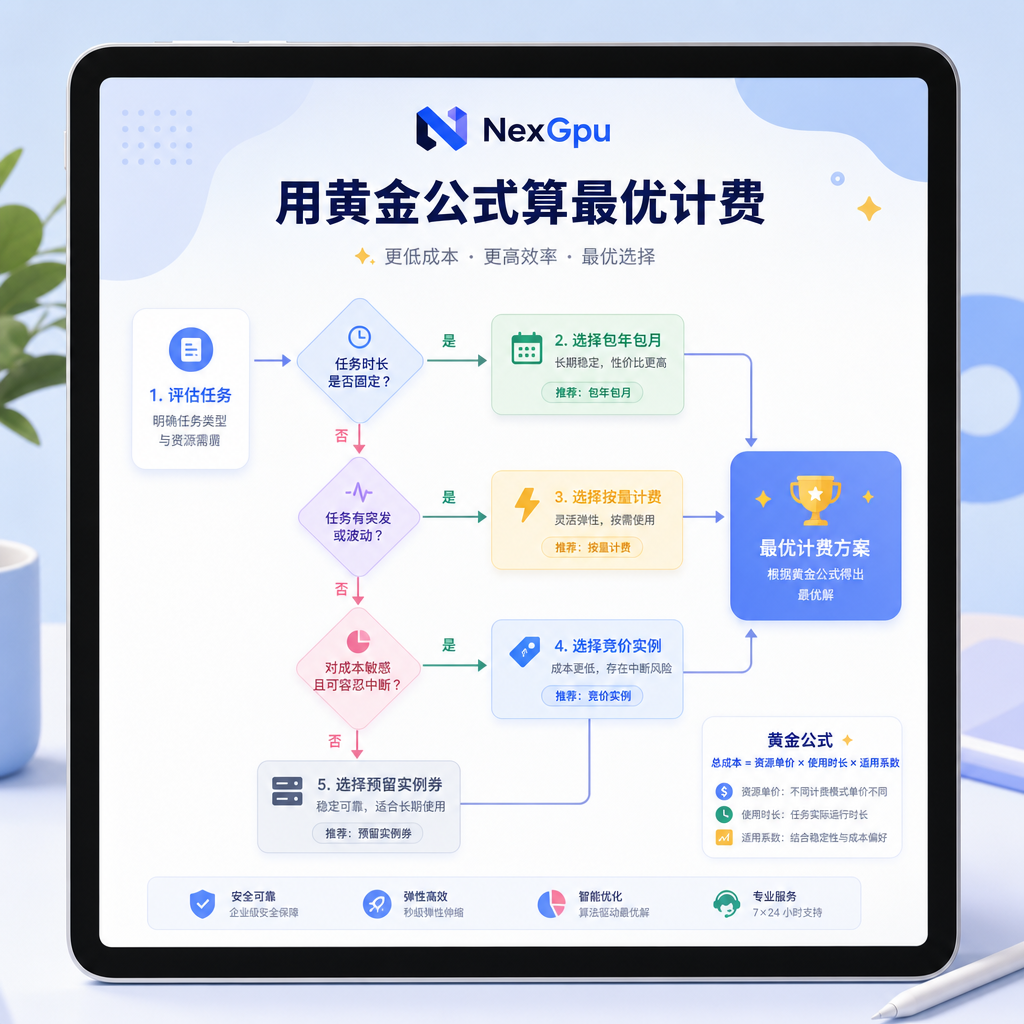
If your workflow falls under "high-frequency short-term debugging" (e.g., frequent code changes, small-batch validation), with each run lasting under 10 minutes, the per-second price is high, but the total cost is extremely low.
If your workflow involves "medium-to-long-term continuous compute" (e.g., full fine-tuning of large models, 24/7 inference services), with each run exceeding 2 hours, the monthly rate typically translates to 50% to 70% of the per-hour elastic billing price.
Step 3: Optimize GPU Rental Costs for High-Frequency Iteration with Production Engines
In today's AI development ecosystem, not only are models growing larger, but the underlying software stack is also updating at an astonishing pace, making cold start costs and environment compatibility issues more complex.
On July 16, 2026, the mainstream open-source inference engine vLLM released its latest production quality assurance report. To support over 1,000 model architectures and more than 600 different accelerators globally, vLLM merged 1,918 code commits in June alone, and its automated testing pipeline consumes 13 million minutes of compute each night.
Such frequent updates mean that developers who configure and maintain the latest high-performance inference environments on rented machines face high maintenance time costs and potential errors that could interrupt operations.
At the same time, underlying hardware is evolving toward system-level, clustered architectures. On July 20, 2026, Microsoft announced the deployment of the new AMD Helios architecture in Azure, using Instinct MI455X GPUs and 6th-gen EPYC Venice processors to break through network and compute bottlenecks at the system level, aiming to reduce GPU idle waiting.
The same day, QumulusAI, a new cloud infrastructure provider, announced the purchase of 1,632 NVIDIA Blackwell B300 GPUs to meet explosive demand for production-grade inference.
These industry developments point to a reality: AI development is no longer a single-GPU endeavor but highly dependent on system-level throughput and rapid software environment response.
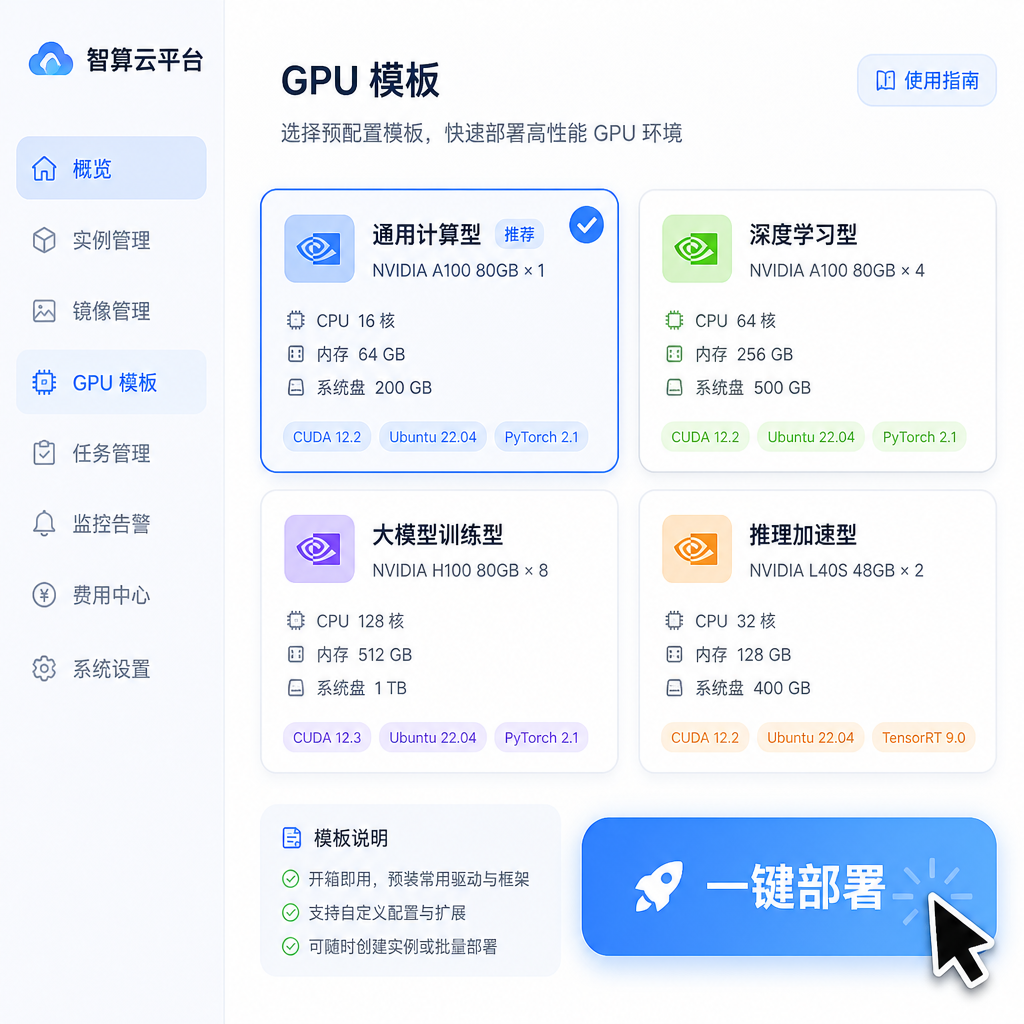
When it comes to GPU rental, if your business scenario involves high-throughput inference services, subscribing to a long-term instance shields you from frequent cold starts and environment changes, allowing the latest vLLM engine to stay resident in memory and maximize hardware utilization.
Platforms like NexGpu offer pre-configured templates that allow users to spin up development environments with the latest vLLM, Ollama, and other frameworks in minutes. This one-click environment reuse reduces maintenance costs and helps even short-term users avoid most of the initialization wait overhead.
Practical Implementation: How Small and Medium Teams Can Switch Billing Across Development Stages
The first stage, and the one everyone is familiar with, is parameter debugging and getting code to run. During this phase, your tasks are likely to involve frequent interruptions and restarts, so it's strongly recommended to use per-hour or per-second billed low-spec GPU instances like RTX 4090 or A10.
The advantage is that each time your task fails due to a syntax error or incorrect hyperparameter settings, you can release compute resources immediately without paying for idle time.
The second stage is stable large-scale fine-tuning or continuous inference. At this point, the code and environment are fully working, and the proportion of cold start time is negligible.
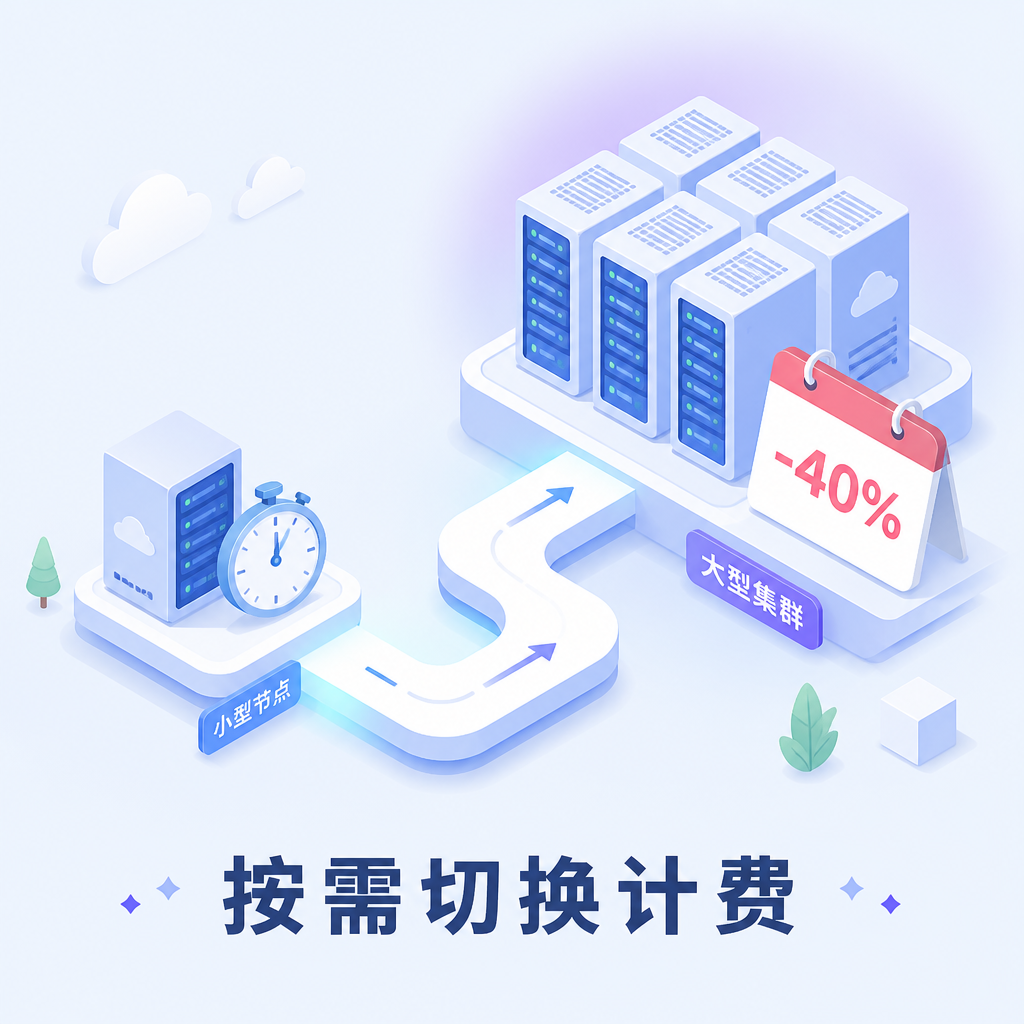
In this stage, you should decisively switch to weekly or monthly billing. According to industry data, long-term rental discounts can save teams up to 40% on compute costs.
Additionally, using high-speed networks to pre-store datasets on persistent shared storage is an excellent way to reduce costs. On the NexGpu platform, users can directly mount datasets via multi-replica shared storage, completely eliminating the time spent repeatedly pulling models and resetting environments.
This approach balances flexibility during debugging with cost-effectiveness during production, ensuring that every budget dollar translates into effective compute, allowing development teams to compete more steadily and further in the intense model performance race.


Comments(0)