 NexGPU-算力租赁,GPU服务器,GPU云算力,AI服务器租用-新闻博客
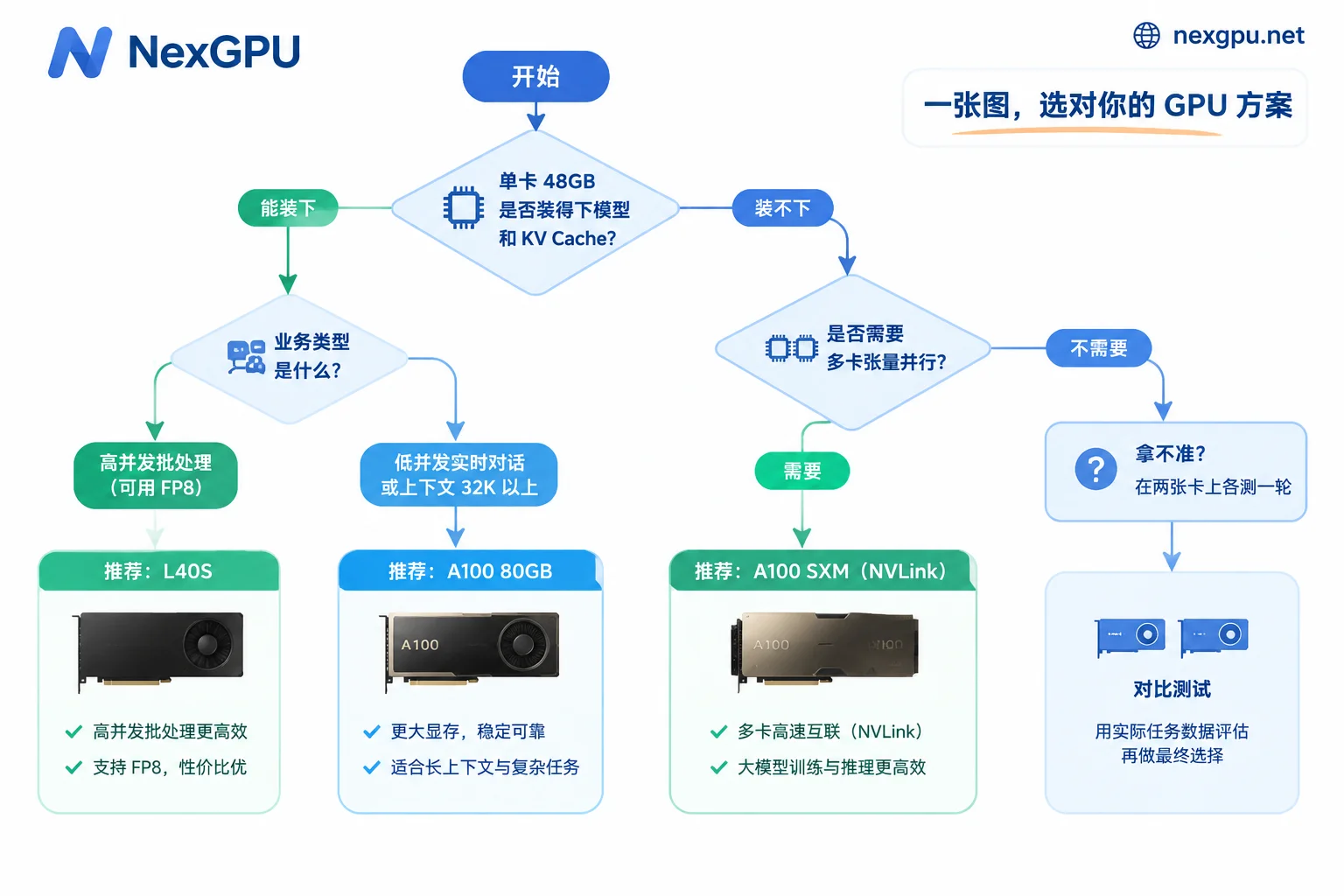
Let’s start with the conclusion: For inference that fits on a single card, handles many requests, and can use FP8, prefer L40S; for single-session conversations that need low latency, very long contexts, or models so large they require multi-GPU tensor parallelism, prefer A100 (especially the 80GB SXM version). If you’re not sure which category your workload falls into, run the same requests on both cards using the same image—this is more reliable than repeatedly comparing spec sheets.
Below, we’ll go through your task item by item.
Start with three questions about your workload
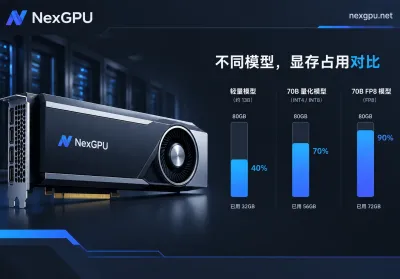
- How big is the model, and what precision will you use? As a rough estimate, weight memory equals the number of parameters times bytes per parameter: FP16/BF16 at 2 bytes, FP8 at 1 byte, INT4 at about 0.5 bytes. Then leave headroom for KV cache and runtime overhead. For example, a 32B model in FP16 needs about 64GB for weights, which exceeds L40S’s 48GB; in FP8 it’s about 32GB, so a single L40S can hold it. A 70B model in FP16 needs about 140GB, which no single card can hold.
- Are requests waiting for results, or is it a batch job? If someone is waiting, focus on time to first token and token generation speed; for batch processing, focus on total throughput and cost per token.
- How long is the context? Beyond 32K, KV cache consumes a lot of memory and increases pressure on memory bandwidth.
For specific memory requirements of a given model at different precisions, check the NexGPU model selection guide; we won’t list them all here.
The difference between the two cards: one has more compute, the other more bandwidth
| L40S | A100 80GB | |
|---|---|---|
| Architecture | Ada Lovelace | Ampere |
| Memory | 48GB GDDR6 | 80GB HBM2e (also 40GB version) |
| Memory bandwidth | 864 GB/s | 1,935 GB/s (PCIe) / 2,039 GB/s (SXM4) |
| FP16/BF16 dense compute | ~362 TFLOPS | 312 TFLOPS |
| FP8 | Native support, ~733 TFLOPS dense | No native FP8 hardware |
| Multi-GPU interconnect | PCIe Gen4 x16 only, no NVLink | SXM version has 600 GB/s NVLink |
These differences matter for inference because LLM inference has two phases:
- Prefill: processes the entire prompt at once, mainly compute-bound.
- Decode: generates one token at a time, and each token requires reading all weights from memory. At low concurrency, speed is mainly limited by memory bandwidth.
So consider two scenarios:
- High concurrency (batch 8+) or long prompts: weights read once are shared across multiple requests, so the bottleneck shifts from bandwidth to compute. L40S’s 4th-gen Tensor Cores and FP8 shine here. FP8 also halves the size of weights and KV cache, so the same 48GB can hold more concurrent requests, typically improving overall throughput and cost per token.
- Single-stream or low-concurrency generation: bandwidth determines token generation speed. L40S’s bandwidth is only about 43% of A100 80GB, so A100 has an advantage in single-stream latency.
Choose L40S in these cases
- 7B, 8B, 14B models, or FP8/INT4 quantized versions of 32B-class models, which fit entirely in 48GB on a single card with room for KV cache.
- High-concurrency API services, or offline tasks like batch summarization, tagging, or data synthesis. These care about total throughput and cost per token.
- Multimodal tasks like text-to-image and video generation, e.g., Stable Diffusion, FLUX.
- When budget is limited and you need multiple cards, run one independent replica per card behind a load balancer rather than splitting a single model across cards.
Choose A100 in these cases
- Interactive chat, code completion, and similar services where time to first token and per-token speed are critical, but concurrent requests are few.
- Long contexts from 32K to 128K, where KV cache is large and both 80GB memory and high bandwidth are useful.
- Large models that cannot be heavily quantized, e.g., running 70B in FP16/BF16, requiring 2, 4, or even 8 GPUs with tensor parallelism. In this case, choose SXM nodes with NVLink. L40S can only use PCIe across cards, and tensor parallelism requires synchronization between GPUs at every layer, so communication overhead will noticeably slow things down.
Note that A100 comes in PCIe and SXM versions with very different interconnect capabilities. Before renting, confirm which version the node is; if you can’t tell, ask support.
When in doubt, benchmark on both cards
Some workloads fall in between, e.g., medium-concurrency 32B FP8, or 70B INT4 (which barely fits on a single L40S but leaves little room for KV cache). In such cases, test directly:
- Use the same vLLM or TGI image to deploy the same model at the same precision on both L40S and A100.
- Stress test with requests close to real traffic: same prompt length distribution, same concurrency.
- Record three numbers: time to first token, tokens per second per request, and overall throughput (tokens/s).
- Divide the hourly price by tokens produced per hour to get cost per token. Choose the cheaper card as long as latency meets requirements.
NexGPU bills by the hour and by the second, with no minimum commitment, so an hour or two of testing is usually enough to see the difference. For the detailed cost-per-token calculation, see Token cost comparison of L40S vs A100 for LLM inference. If latency doesn’t meet requirements, first determine whether it’s time to first token or token generation speed, then decide whether to switch cards or tune parameters; see How to optimize high LLM inference latency.
A few deployment settings
On the image templates page, you can deploy vLLM or TGI images with one click, then adjust per card type:
- L40S + vLLM: Enable FP8 weights (e.g.,
--quantization fp8, or load published FP8 weights directly) and FP8 KV cache (--kv-cache-dtype fp8) to leverage FP8 Tensor Cores and Transformer Engine. Parameter names may vary across versions; refer to the documentation for the vLLM version included in the image. - A100: No native FP8 compute, so loading FP8 weights on A100 mainly saves memory and won’t give the same compute boost as L40S. If memory is sufficient, use BF16 directly; if memory is tight, consider INT4 quantization like AWQ or GPTQ.
- Multi-GPU: For tensor parallelism on A100 SXM, set
--tensor-parallel-sizeto the number of GPUs. Multiple L40S cards are better suited to one replica per card, or pipeline parallelism.
After testing and going live, how costs are calculated
The bill has only three components: compute, storage, and traffic. Unit prices are locked at order time until the instance is destroyed. After testing, you have two options:
- Stop: compute billing stops, storage fees continue. Suitable if you’ll continue testing in a few days and want to keep the environment.
- Destroy: all fees stop, and data on the disk is wiped. Before destroying, move model weights, stress-test scripts, and results elsewhere; see How to save data on a rented GPU instance.
If you only need a one-time comparison test, just destroy after testing. Once you’ve chosen a card type for long-term deployment, calculate how many cards you need based on target concurrency.



Comments(0)